Mycelium Documentation
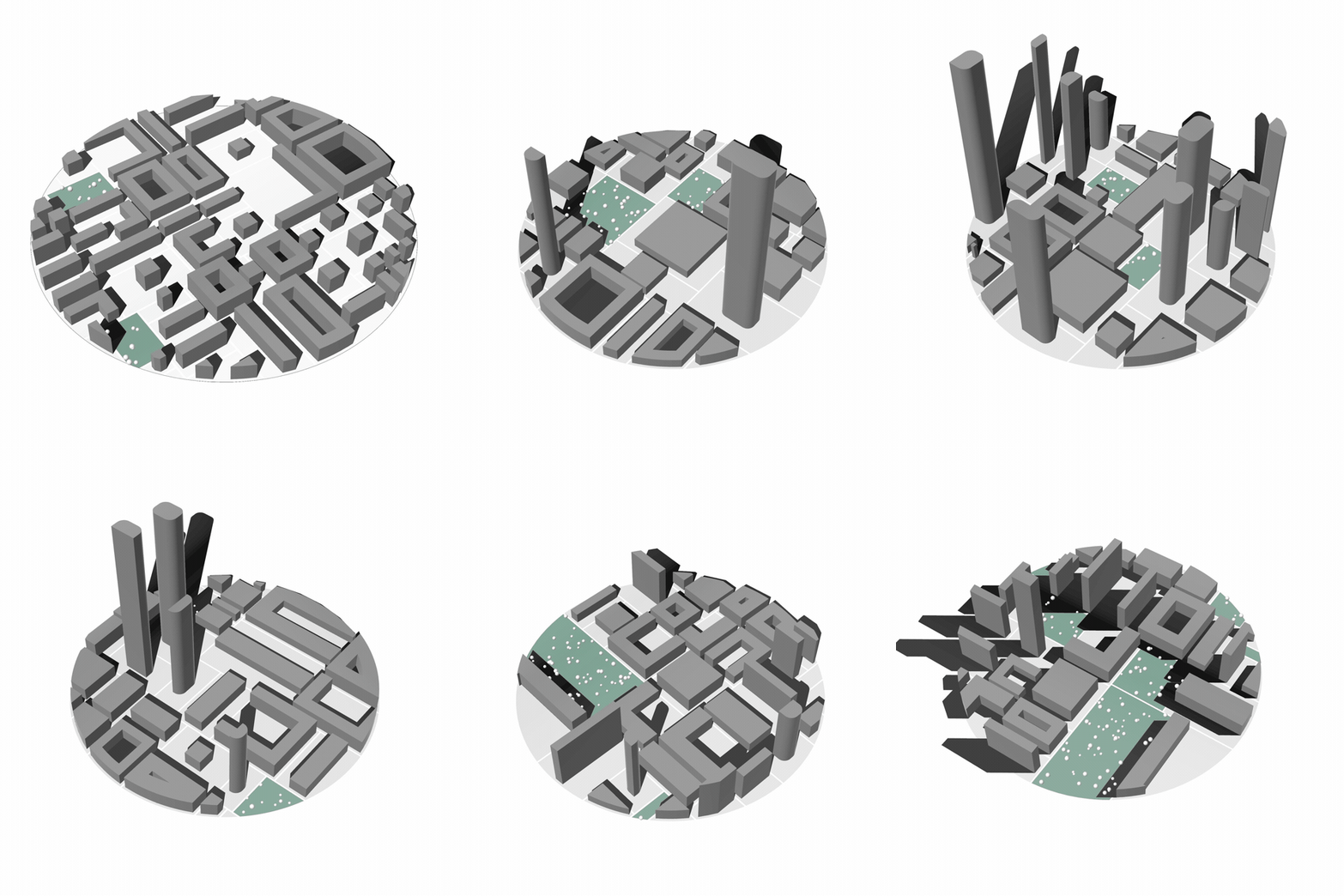
Mycelium is a Grasshopper plugin for generative urban massing in Rhino 8. Feed it a closed parcel boundary and it returns a complete city block: subdivided parcels, streets, building masses across six typologies, parks, trees, terrain, and a full set of development and morphology metrics.
Install
In Rhino 8, run _PackageManager, search for mycelium, install, and restart. The components appear in Grasshopper under the Mycelium tab.
Manual install, pre-release builds, and building from source are covered on the download page.
Rhino 8 only
Mycelium targets .NET 7 and relies on assemblies that only Rhino 8 supplies. It does not load in Rhino 7.
Where Things Are
Components are organized into five panels. The component reference carries the full toolbar and a card per component; each panel page below carries its own.
| Panel | What lives there |
|---|---|
| Massing | The generator itself — parcel in, city block out |
| Building Types | One config component per typology |
| Vegetation | Tree density, size, courtyard placement |
| Site | Procedural terrain |
| Utilities | Example definitions synced from GitHub |
How the Pieces Fit
Boundary curve ─┐
                │
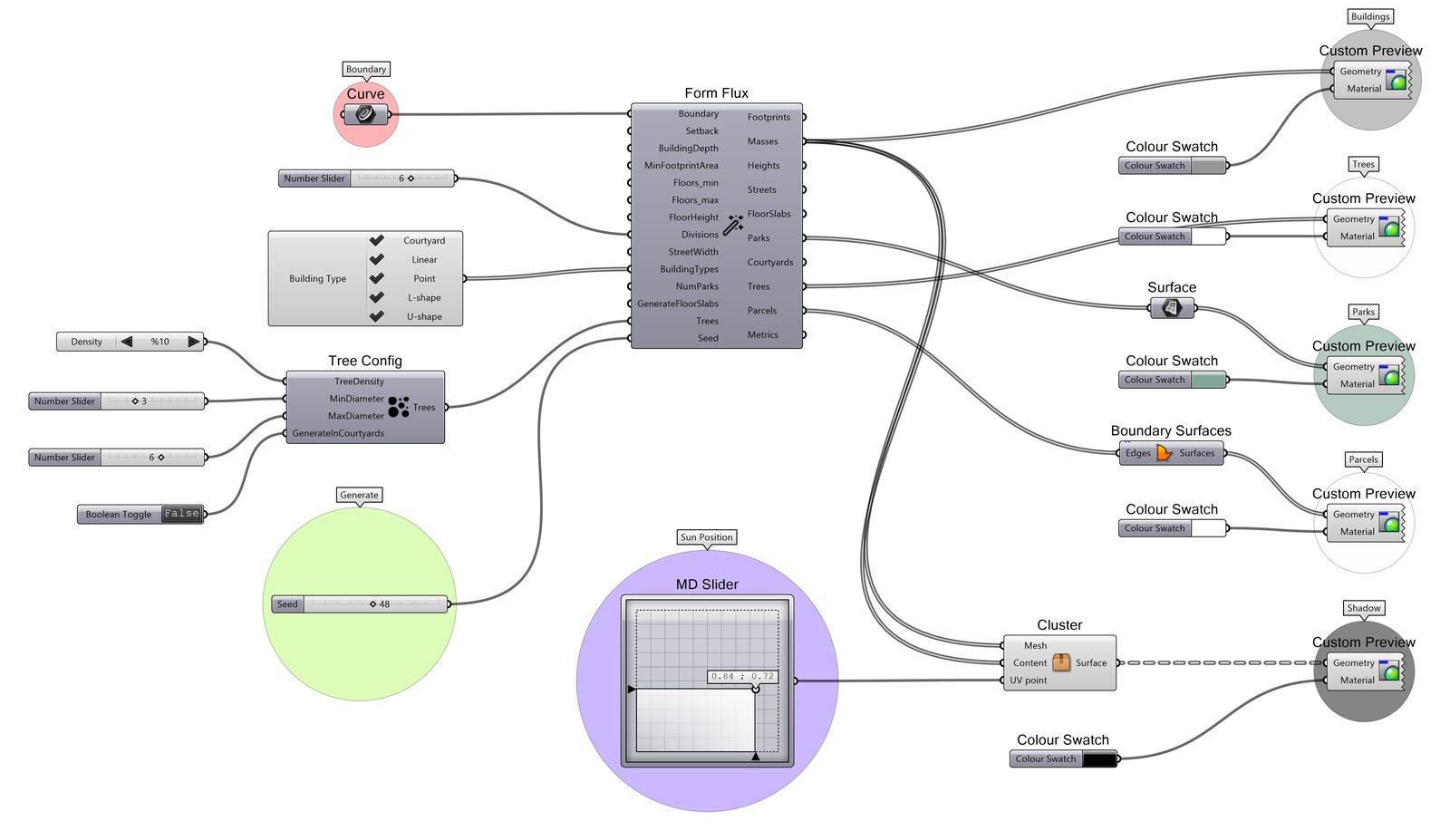
Config comps ───┼──▶  Massing Generator  ──▶ Footprints, Masses, Streets,
                │                             Parks, Courtyards, Trees, Parcels
Tree Config ────┘                        ──▶ Metrics, MorphologyMetrics
                                         ──▶ CaseManifest (JSON provenance)
- Subdivision — recursive binary space partitioning splits the parcel into building blocks separated by streets. The street-network family is chosen from the component's right-click menu or driven by the
StreetNetworkinput. - Typologies — each block receives a randomly selected building type from the configurations you wired in: courtyard, linear, point, L-shape, U-shape, or tower.
- Open space —
NumParksblocks become parks and are populated with procedural trees; courtyards can receive trees too. - Metrics & provenance — development metrics, morphology indicators, and a schema-versioned JSON case manifest for every alternative.
Everything is driven by the Seed input, so alternatives are reproducible.
Getting Help
- Issues and feature requests: MyceliumGH-Dev/Mycelium
- Templates: MyceliumGH-Dev/Mycelium-Templates
- Website: mycelium-gh.netlify.app
When reporting a geometry problem, include the CaseManifest JSON — it pins down the exact inputs, seed, and plugin version that produced the result.